 Chrome
 Edge
Edge Firefox
 Brave
BraveDoes ’s appointment reminder go to her cell ?
PHI Mask for your browser
Paste or upload. Automatically masked.
- ChromeYour browserAdd to Chrome
- EdgeMicrosoft Edge Add-onsAdd to Edge
- FirefoxFirefox Browser Add-onsAdd to Firefox
- BraveChrome Web StoreAdd to Brave
Another browser? Use PHI Mask online
Free 14-day trial. No account required.
- Pattern matching in your browser
- We never see or store your files.
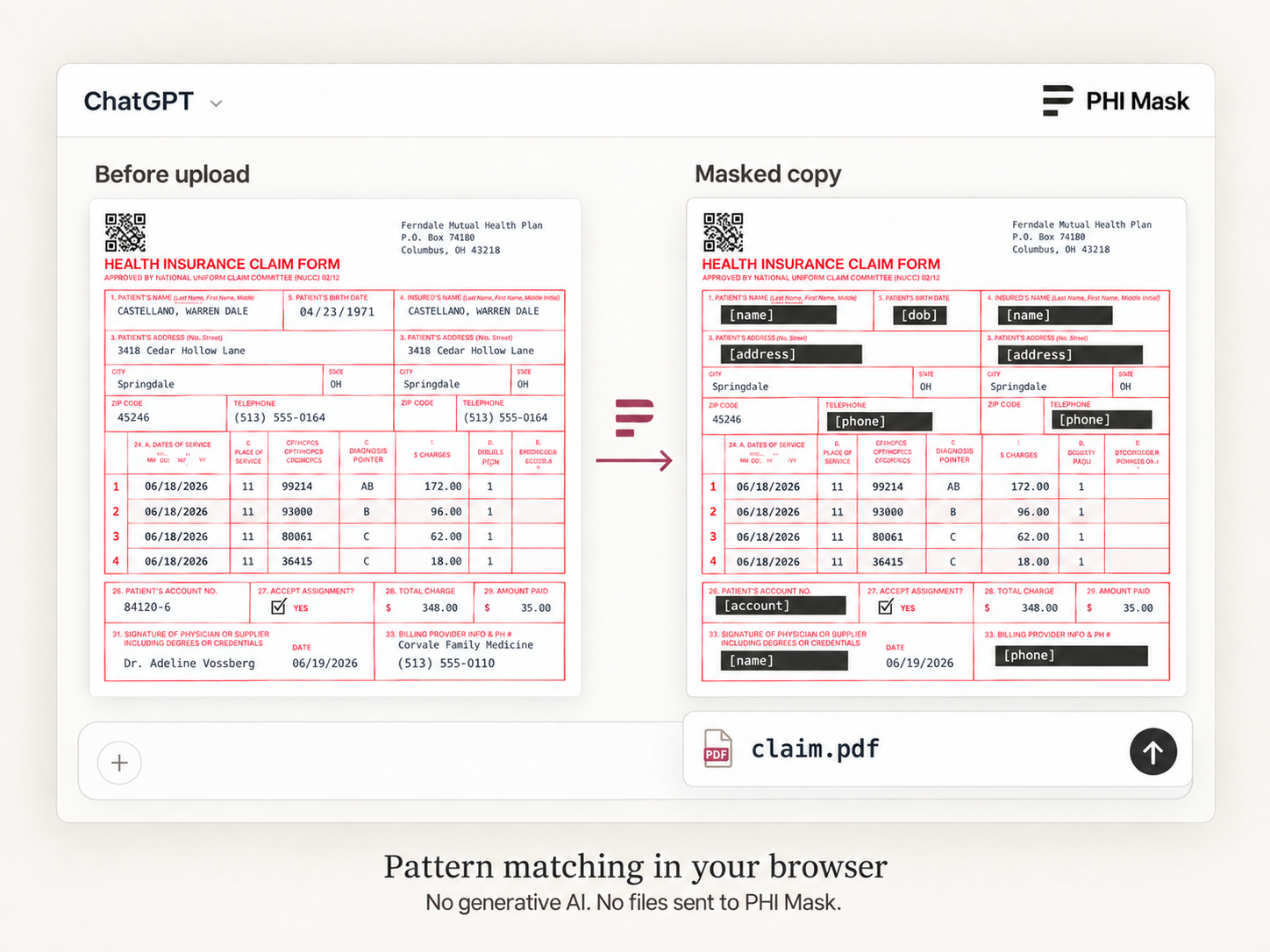
Your files never reach us.
Pattern matching finds identifiers and masks them in your browser.
Zero Data Retention. We keep no copy of your files or text, because we never receive them.
PHI Mask is HIPAA-compatible. Your file is masked in your browser and never sent to us, so there is no BAA to sign, and without a signed BAA we cannot claim HIPAA compliance.
Pattern matching, right in your browser
PHI Mask finds names, birth dates, phone numbers, and other identifiers.
In their own words
“It's very quick, very convenient, and very easy compared to what I used to do before.”
Dr. Nguyen, LMCCAssociate Physician, Alberta · limited practice licence Read transcript
Hi, my name is Nhi Nguyen, and I'm a medical professional from Vietnam, and I'm currently working as a specialist assistant in Edmonton, Alberta.
So every day I've been using PHI Mask to redact my patients' confidential information while processing their data.
It's very quick, very convenient, and very easy compared to what I used to do before.
I used to have to manually redact all the data of the patients myself, or manually go through the documents and retype everything.
As you can see, it's a very painful process, and now I have PHI Mask, everything is just way easier.
So I highly recommend it, and I would use it every day.
"I now have the tools to use AI fluently. I used to make careful maneuvers when taking pictures and screenshots. Then I would manually remove remaining patient information. I don't have to do that anymore and would definitely recommend PHI Mask to my colleagues."
Dr. Khadija El-HammassiPsychiatrist, Alberta

- 0.9 MB
- text
- 0.3 MB
- PDF text layer
- 4.1 MB
- OCR images & scanned PDFs, English
Fully works offline in Airplane Mode
Choose a workflow
CMS-1500 claim
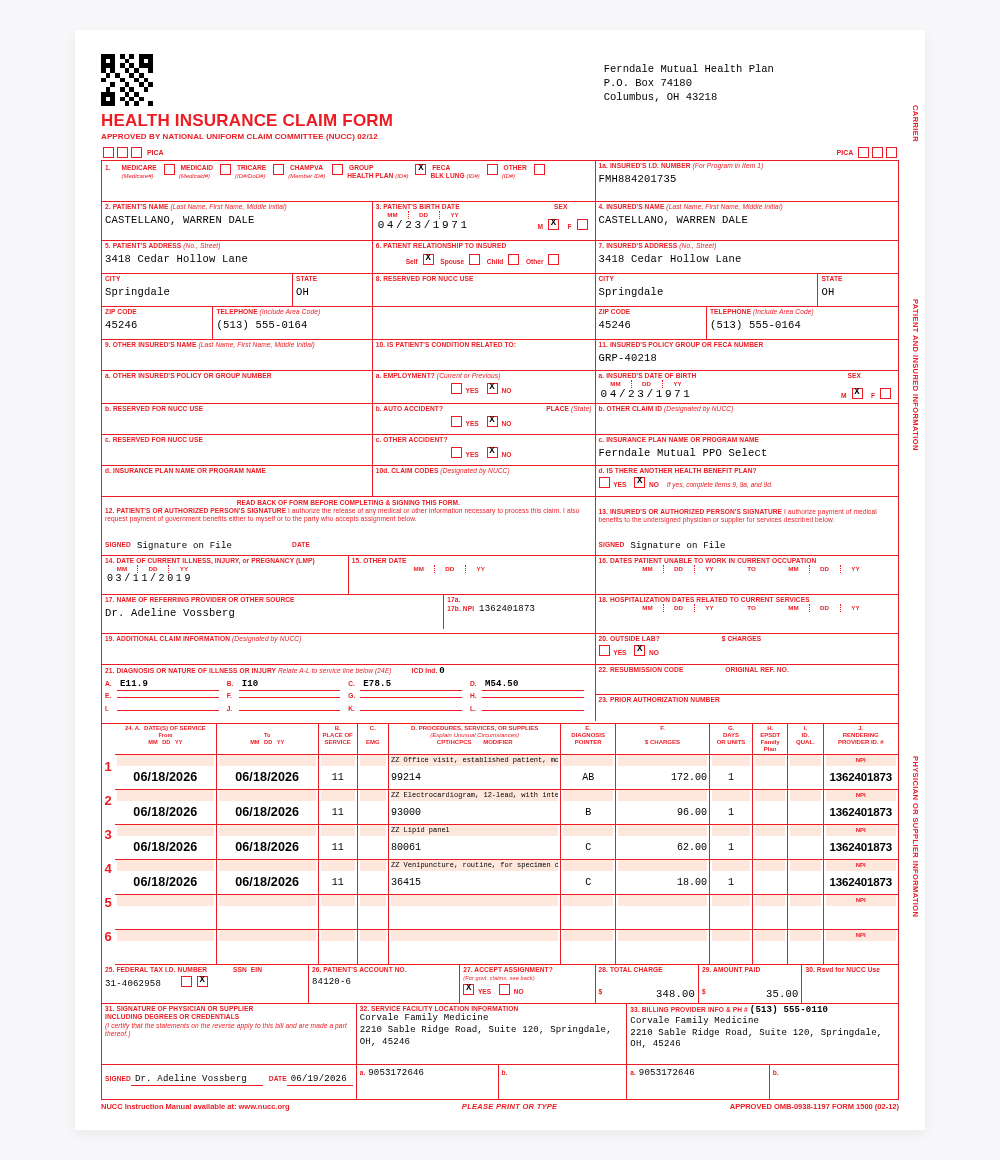
- Mask what you paste, before the site receives it.
- Review every change before anything is sent.
- Attach files with the private details already changed.
- Install once. Nothing else changes.
Works where you paste
These are the sites it runs on today.
- ChatGPT
- Claude
- Gemini
- Google AI Studio
- Microsoft Copilot
- Perplexity
- Mistral
- DeepSeek
- Grok
- Poe
- Kimi
- Meta AI
- Lovable
- Replit
- Base44
- AI Fiesta
Try PHI Mask on your next AI chat
Free 14-day trial. No account required.